Chrome Extensions
DevLens is a set of focused developer tools for Chrome that I built for my own day-to-day frontend work: screenshots for bug reports, design QA against the mockup, accessibility audits, network flows and URL juggling.
Each one does a single job, opens in the side panel or DevTools, and runs entirely on your device. Free, no account, no tracking.
- extensions
- 9
- extensions
- live on the Web Store
- 5
- live on the Web Store
- network requests
- 0
- network requests
- Manifest V3
- MV3
- Manifest V3
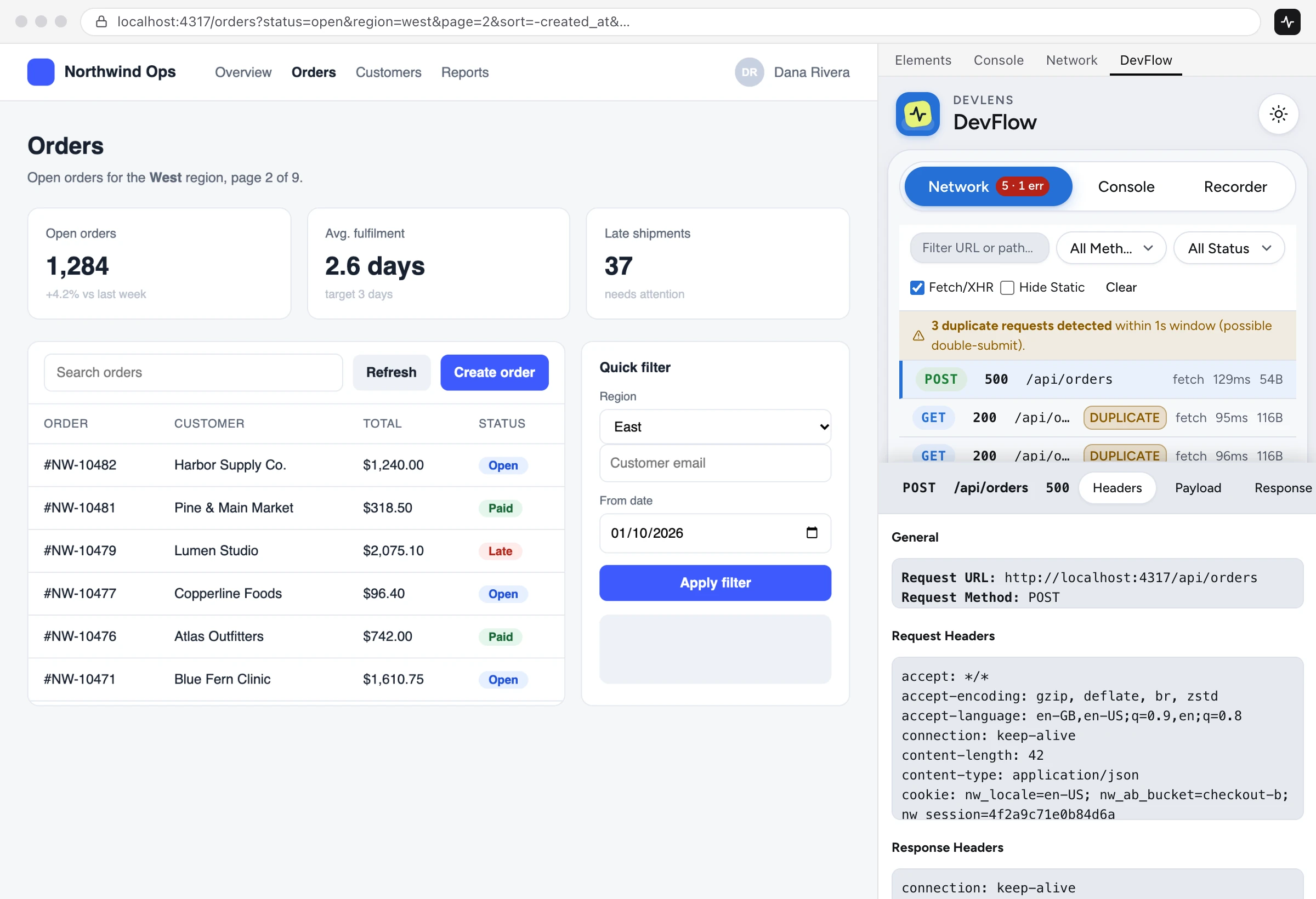
DevLens DevFlow
LiveNetwork inspector and user-flow recorder
Turn what happens in the browser into a bug report, a Playwright test or context for your AI assistant. Record what you did, see what the page requested, and export it in a form that's ready to paste.
- Network inspectorA DevTools panel with URL, method and status filters, plus a duplicate detector that flags double-submits.
- Copy as codeAny request as cURL, PowerShell, fetch() or a Playwright page.route() mock.
- Flow recorderClicks, input and navigation on one timeline, with elements described by role and accessible name. Inputs are masked by default.
- ExportsPlaywright test skeletons, Markdown bug reports with steps to reproduce, and AI-ready feature maps.
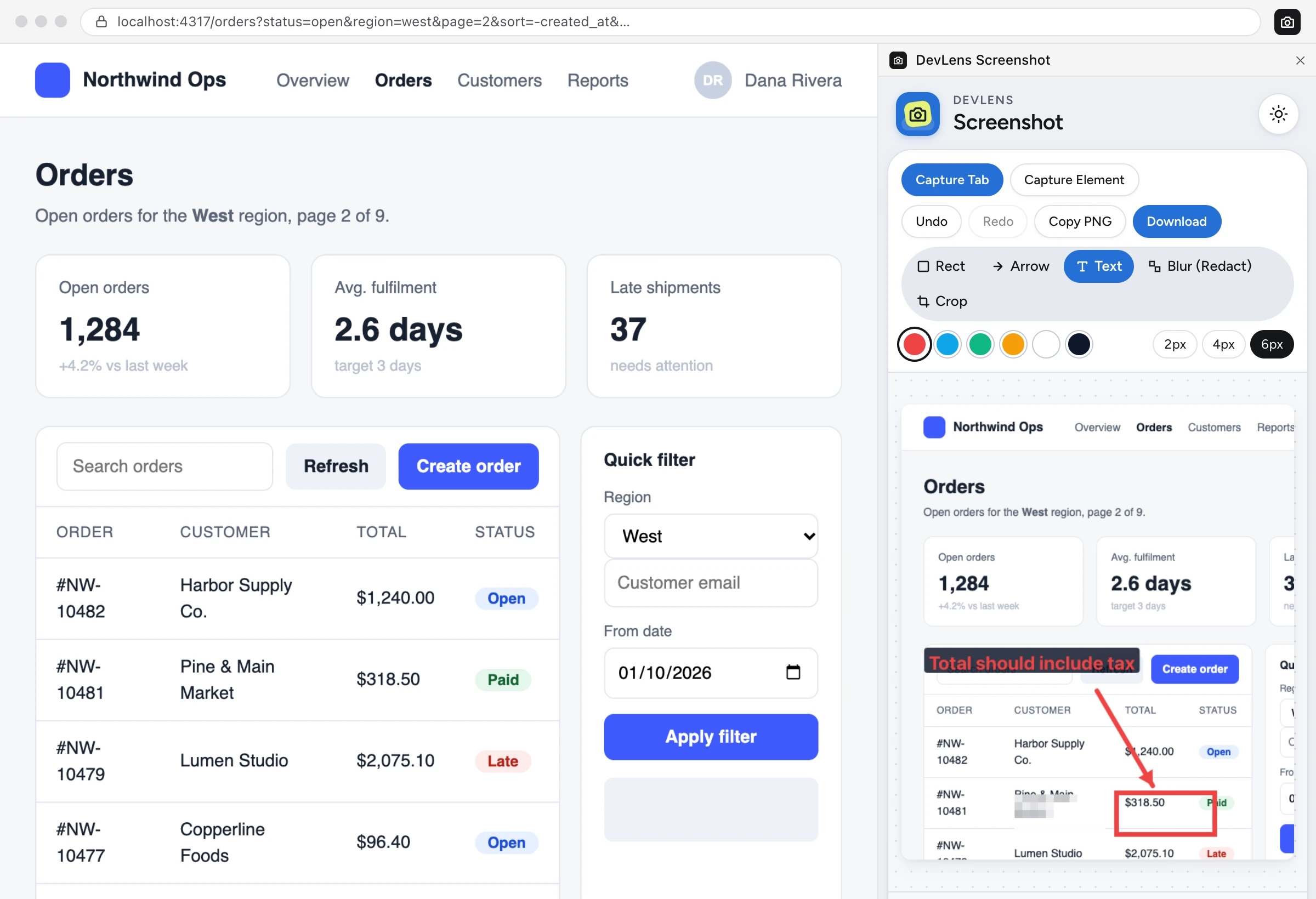
DevLens Screenshot
LiveCapture, annotate and redact without leaving the page
Captures what you see and gives you just enough tools to explain it: boxes, arrows, text and a real redaction blur. Built for bug reports, design reviews and docs.
- CaptureThe visible tab in one click, or click any element to capture just that part. Crop with a marquee that's remembered.
- AnnotateRectangles, arrows and text labels in six colours and three stroke widths, with undo and redo.
- Redact for realPixel blur destroys the underlying pixels in the export. It isn't a removable layer.
- ShareCopy as PNG, or download with a timestamped filename that includes the page path.
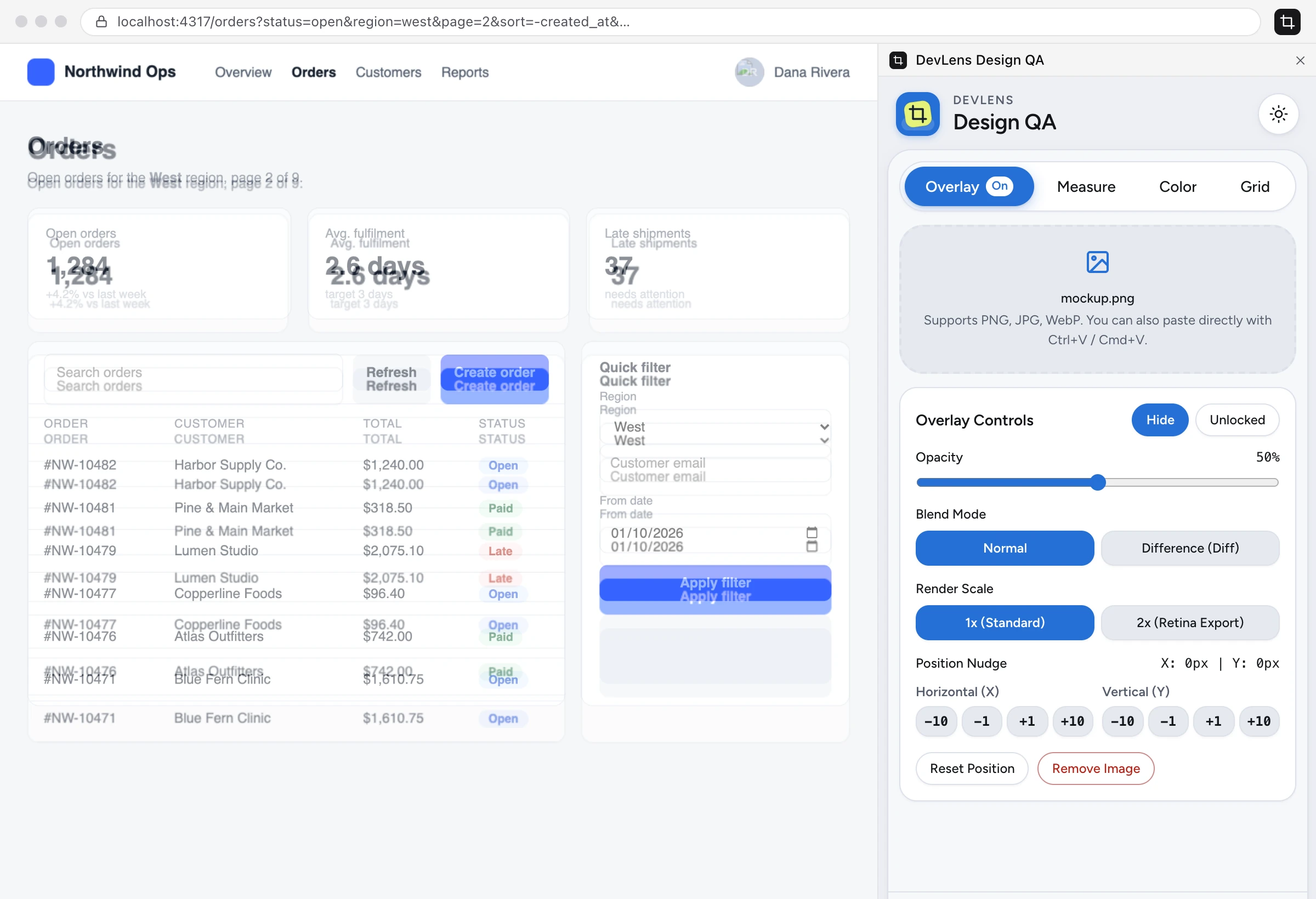
DevLens Design QA
LivePixel-perfect design QA, right on the page
Compare what was built with what was designed: overlay the mockup, measure the spacing, check the colours and test the breakpoints.
- Mockup overlayDrop in a PNG, JPG or WebP export, then set opacity, switch to difference blend and nudge it 1 px at a time.
- MeasureHover any element for its box model and computed typography, in pixels.
- Colour and contrastEyedropper, design-token matching and a WCAG AA/AAA contrast checker.
- Grids and viewportsColumn and 8 px baseline grids, plus one-click widths from 320 to 1440 px.
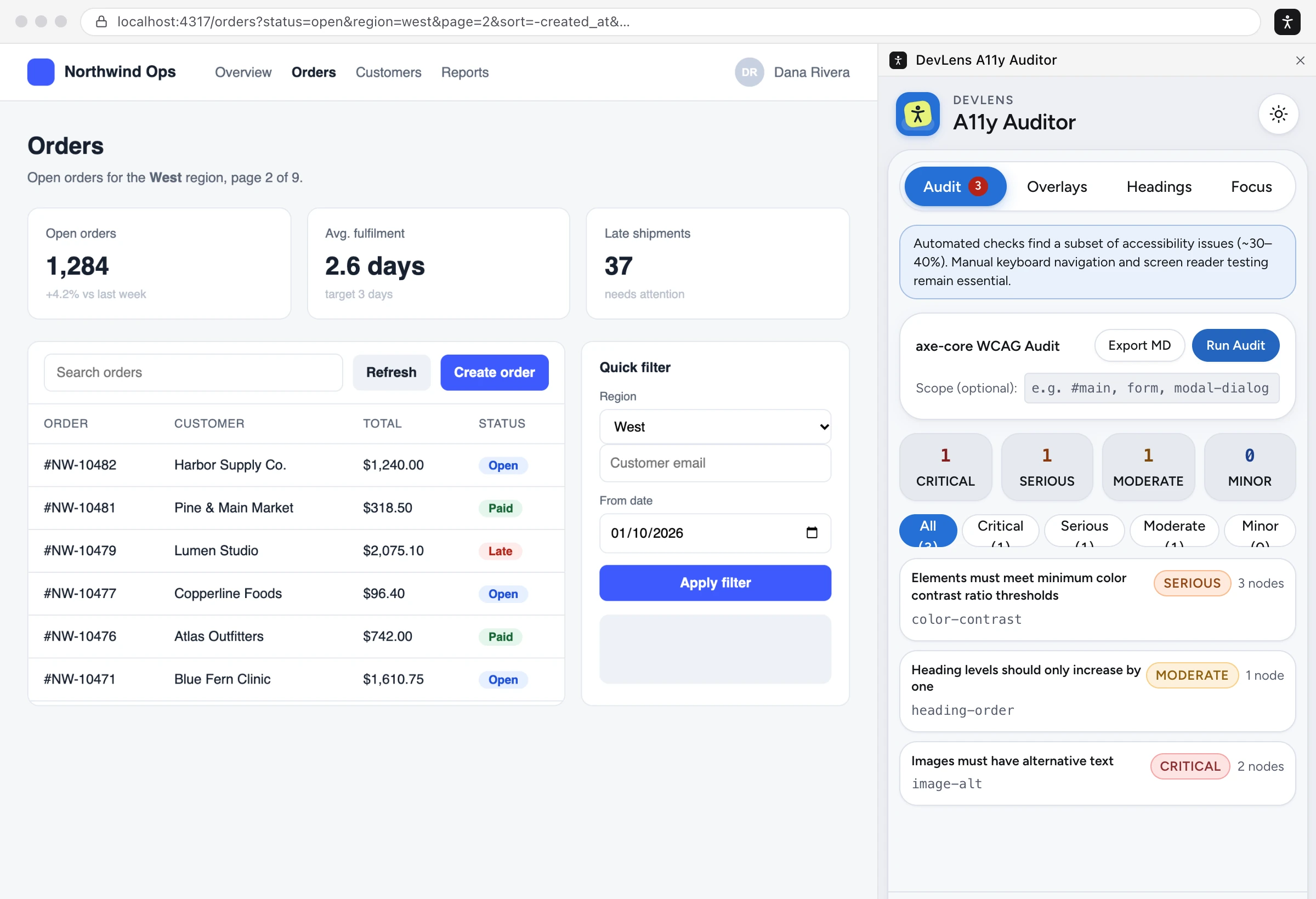
DevLens A11y Auditor
LiveAccessibility checks that make WCAG issues visible
Runs the axe-core engine (bundled, offline) on the page you're building and draws the results on the page itself, so you can see what's wrong and where.
- axe-core auditAudit the whole page or a selector. Results are grouped by impact with WCAG tags, failing elements and rule docs.
- Visual checksNumbered tab-order badges, missing alt text, unlabelled controls and landmarks, drawn on the page.
- Headings and focusAn h1–h6 outline with skipped levels flagged, and a live focus tracker to catch focus loss.
- ExportResults as Markdown, ready for a ticket or a pull request.
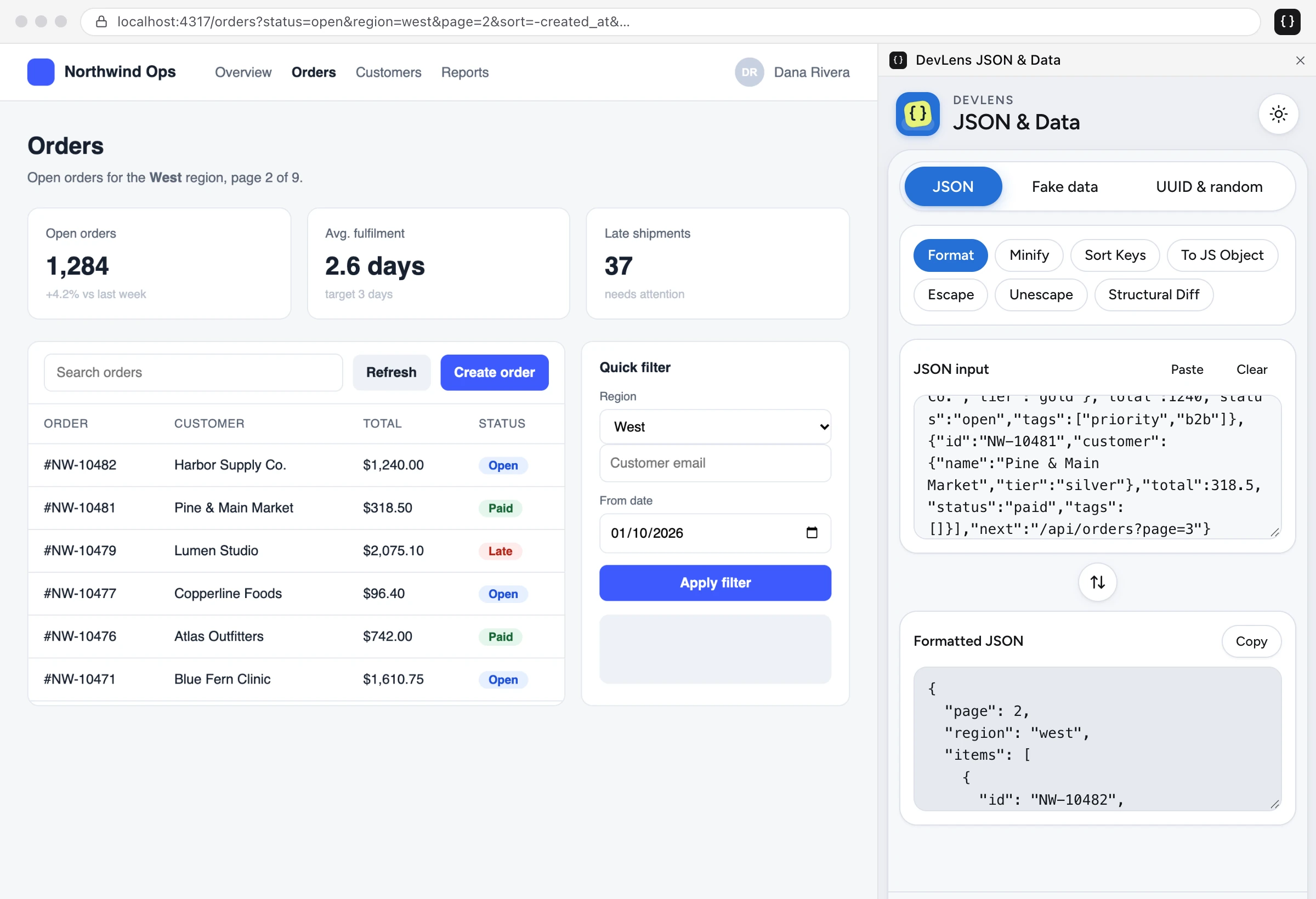
DevLens URL Params
LiveInspect, edit and share URL query strings
Breaks the current tab's address into origin, path, query parameters and hash route (including hash routes with their own query). Change anything, then apply it to the tab or open it in a new one.
- Editable rowsEvery parameter as key, value and an on/off toggle. Add, remove, rename and sort.
- Follows the tabThe panel updates as you navigate or switch tabs, then applies edits in place or in a new tab.
- Copy as codeThe result as a URL, as JSON, or as URLSearchParams code.
- PresetsSave per-site presets like debug=true&role=admin and re-apply them in one click.
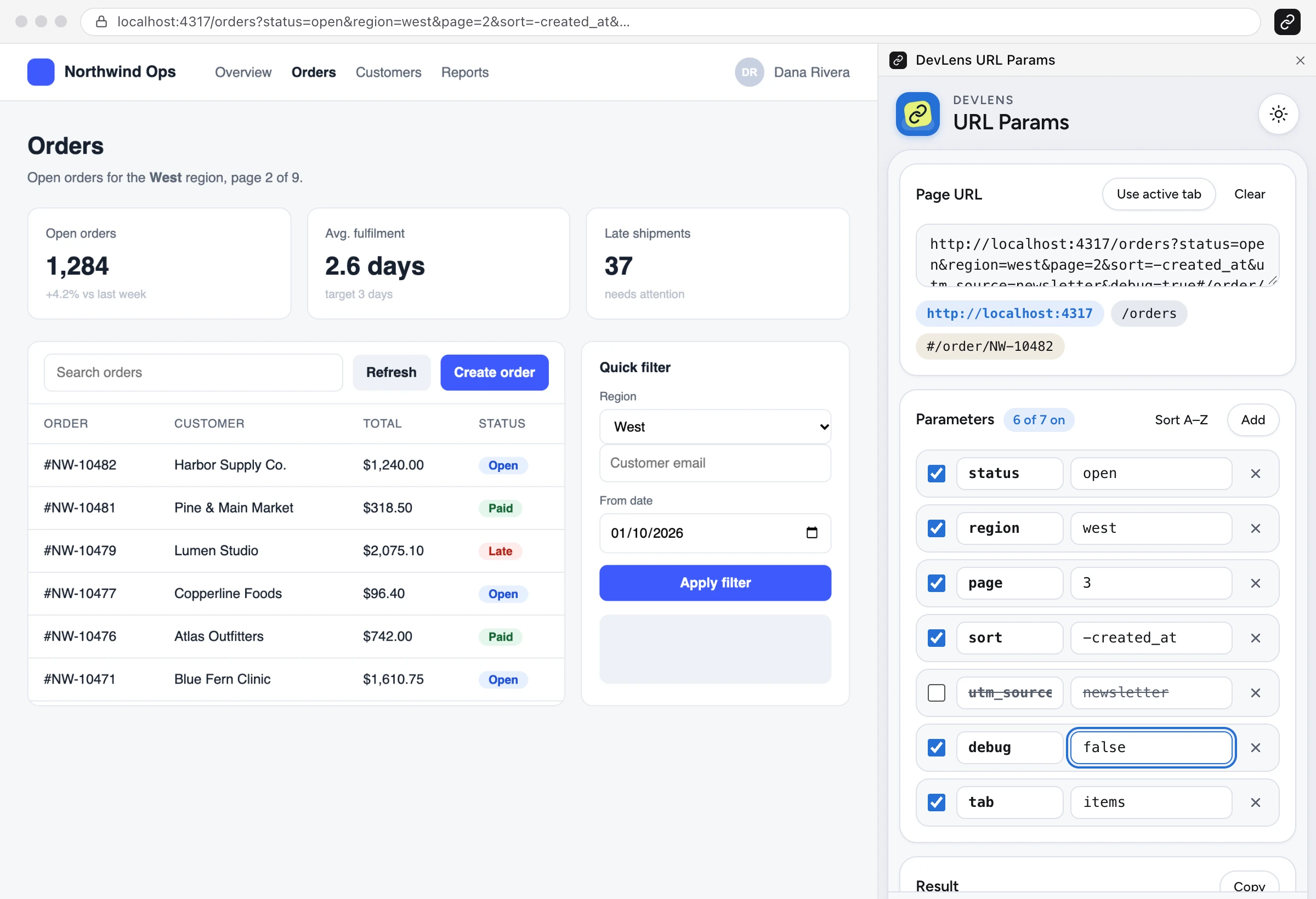
DevLens Storage
Coming soonWeb storage, cookies, flag presets and API mocks
Puts a site's client-side state in Chrome's side panel, so you can read it, change it and reset it while you develop and test.
- Storage explorerBrowse, search and edit localStorage and sessionStorage with a JSON-aware editor.
- CookiesRead-only list with HttpOnly and Secure flags. Values are masked until you reveal them.
- Feature-flag presetsSave storage state as a named preset, preview the diff, apply it and revert.
- Response overridesForce a status, JSON body or delay by URL pattern, and export the rules as Playwright mocks.
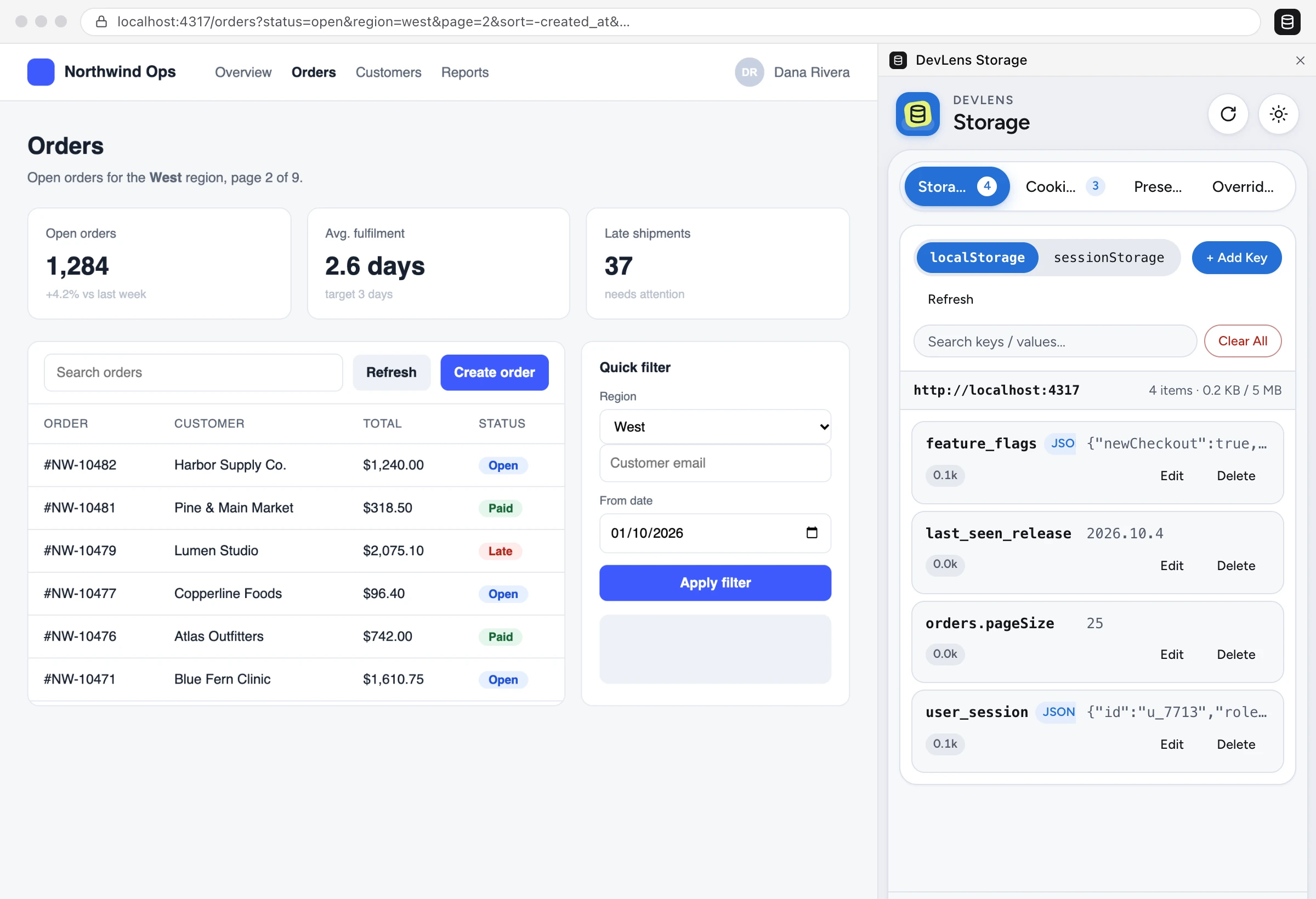
DevLens Encoders
Coming soonBase64, JWT and URL encoding in one private panel
Replaces the online encoder sites developers paste tokens into. Everything is decoded on your machine. Nothing is uploaded and JWTs are never stored.
- JWT decoderHeader and payload as JSON, with iat/nbf/exp in local time and a live expiry status. The signature is clearly marked as not verified.
- Base64UTF-8 safe, standard or URL-safe alphabet with auto-detect, and image previews for data: URLs.
- URL encodingComponent or full-URL mode, with swap to chain operations.
- Right-clickEncode or decode any selected text from the context menu.
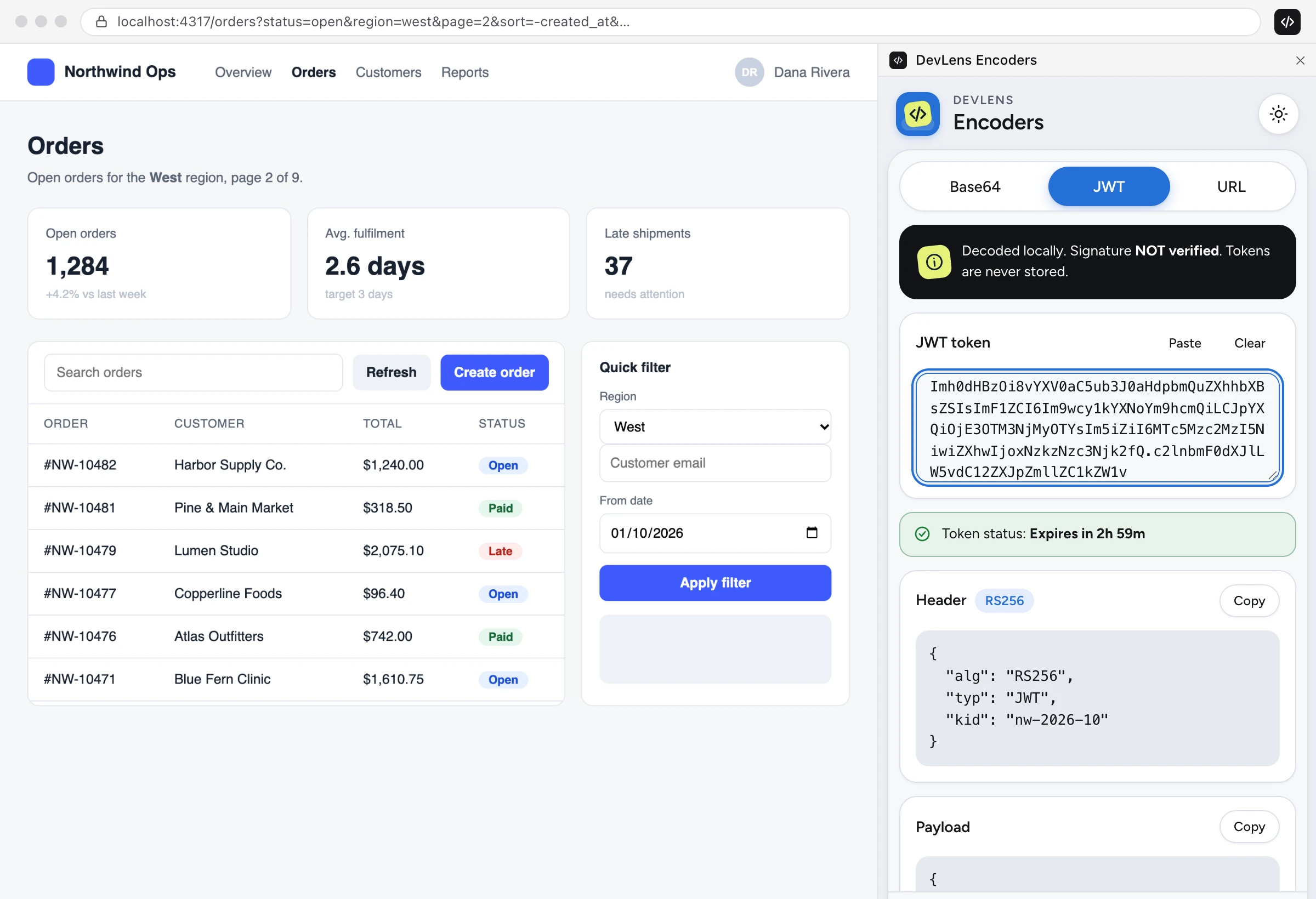
DevLens JSON & Data
Coming soonFormat, diff, UUIDs and clearly fake test data
A side-panel toolkit for the JSON and test data you handle every day. Paste an API response, compare two payloads, or grab realistic but obviously fake values for form QA.
- JSONFormat, minify and validate with the line and column of any error. Sort keys and escape strings.
- Structural diffSee which paths were added, removed or modified.
- Fake test dataNames, emails, 555 numbers, never-issued SSN ranges, plus XSS and SQL-injection test strings.
- UUIDsv4 in bulk, a validator, and random strings from any set.
DevLens Timestamp
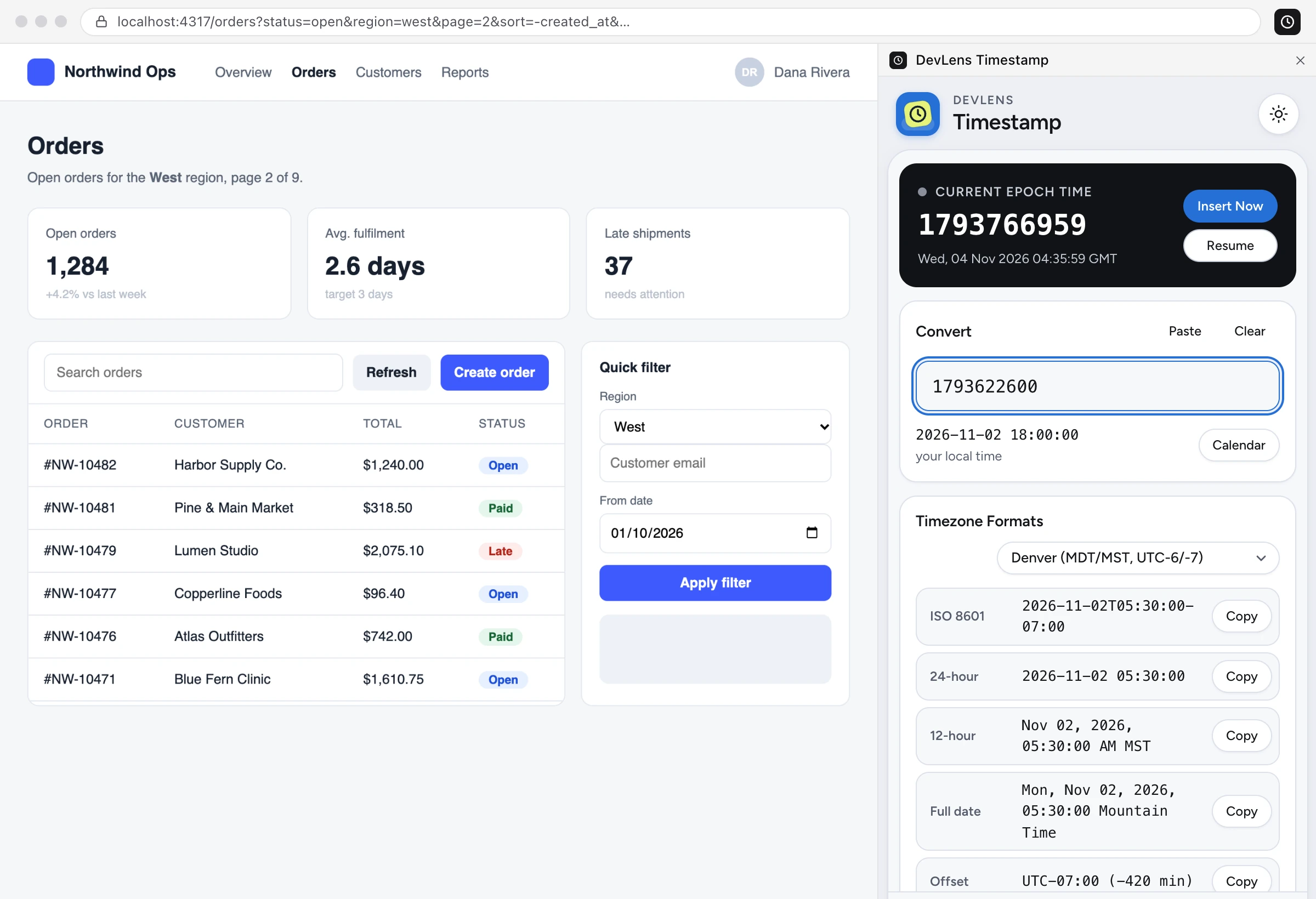
Coming soonUnix timestamps, ISO 8601 and time zones, converted instantly
Turns any timestamp from your logs, APIs or databases into a readable date, and back again, without a trip to a converter website.
- Convert anythingUnix seconds or milliseconds, ISO 8601 or a date string. The format is detected for you.
- Every formatISO, RFC 2822, 12/24-hour, UTC offset and relative time, each one click to copy.
- Time zonesPick any zone, or compare UTC, San Francisco, New York, London, India, Tokyo and more side by side.
- Live clockA pausable epoch clock with “Insert now”.
Built Different
Runs locally
No accounts, no analytics and no network requests. Your data, tokens and screenshots never leave your device.
Permissions on demand
Tools that read the page ask for access per site, only when you use them. The rest need no site access at all.
Manifest V3
Built on Chrome's current extension platform, with every dependency bundled. No remote code.
Read the full DevLens privacy policy.